The buttons during a call
Along the bottom: microphone (mute or unmute yourself; white with a red line when you are muted), camera (turn your video on or off), speaker (loudspeaker on or off; blue when on), and the red button to end the call.
At the top: the minimise button on the left, and the signal indicator on the right. Green bars mean a good connection; a red bar means the connection is weak.
In a video call your own picture shows in a small window; tap the switch icon on it to change between your front and back cameras.
If the other person mutes, a small Muted label appears above their picture on your screen.
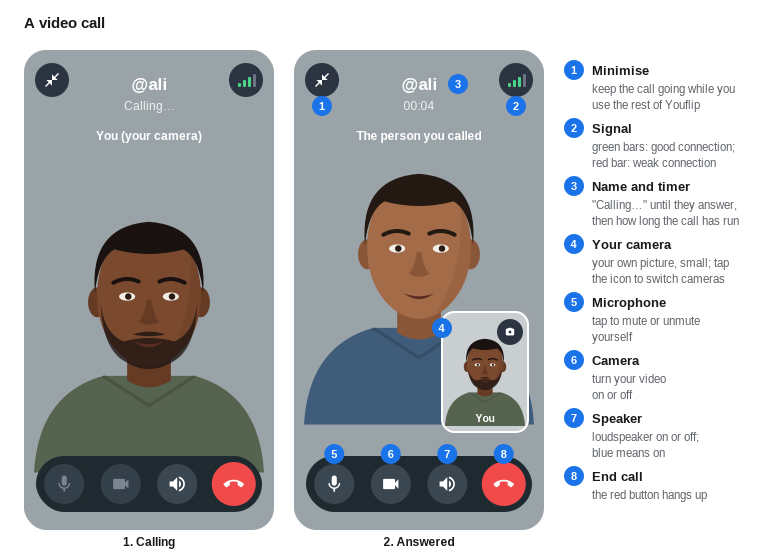
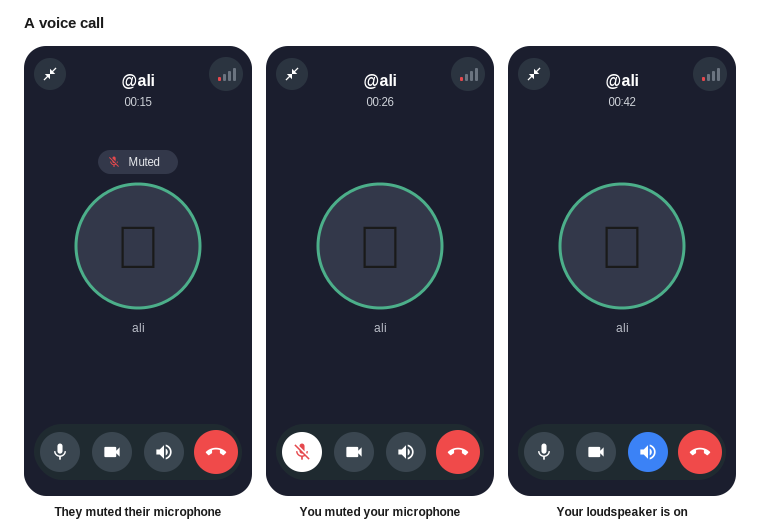
The faces in these pictures are drawn illustrations, not real people. If the person you call has no profile picture, the first letter of their name is shown instead.