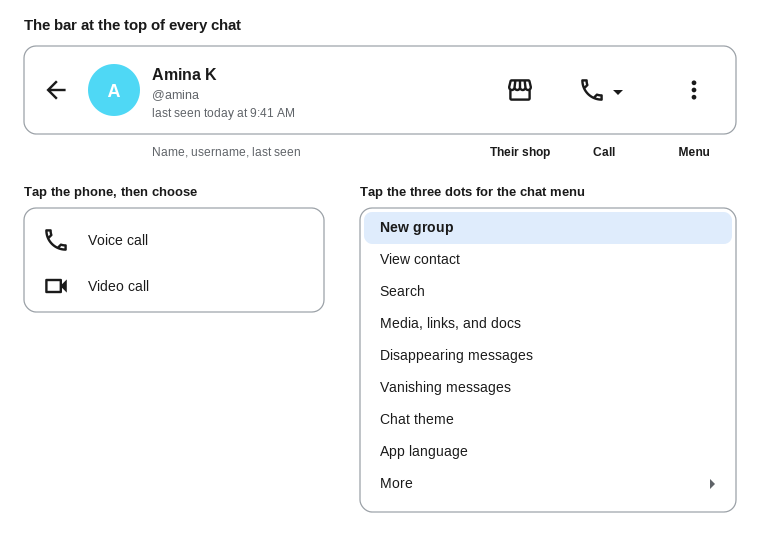
The icons at the top of a chat
Picture, name and last seen: tap to open the contact’s info, with Lock chat, Block and Report.
The store icon shows only when the person sells on the Marketplace. Tap it to see everything they list.
The phone icon: tap it and choose Voice call or Video call.
The three dots open the chat menu: New group, View contact, Search, Media, links and docs, Disappearing messages, Vanishing messages, Chat theme, App language and More.
Still need help? In the Youflip app, go to Settings → Help → Contact Customer Care to chat with the official Youflip Support account.