Press and hold a message: reply, copy, forward and more
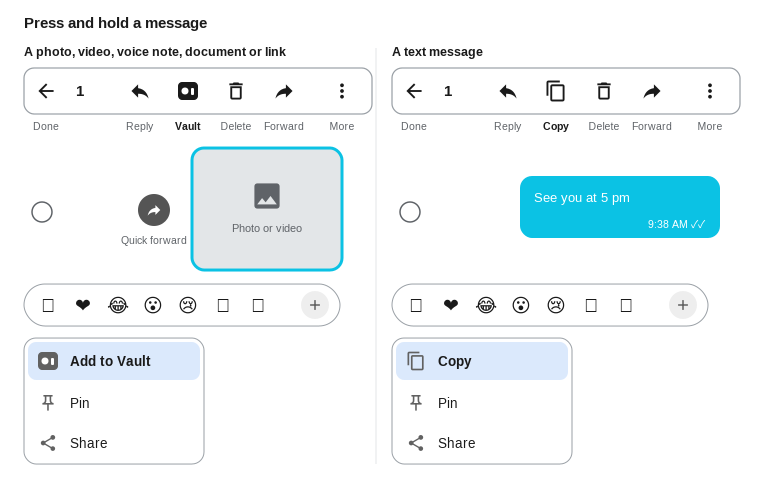
Press and hold any message to select it. You then see a bar across the top, a row of reactions and a short menu.
The top bar: Done (back arrow), Reply, then Vault for a photo, video, voice note, audio file, document or link, or Copy for a text message, then Delete, Forward and the three dots for more options.
Reactions: 👍 ❤️ 😂 😮 😢 🙏 🤔, and + for every emoji.
The short menu: Add to Vault (or Copy for text), Pin and Share. Pin is coming soon.
Tap other messages to select several and act on them together. Beside a photo or video, the round arrow forwards it straight away.
Still need help? In the Youflip app, go to Settings → Help → Contact Customer Care to chat with the official Youflip Support account.